 QiuQuan's Blog
官方网站:https://fineprint.com/pdfp/
打包记录:
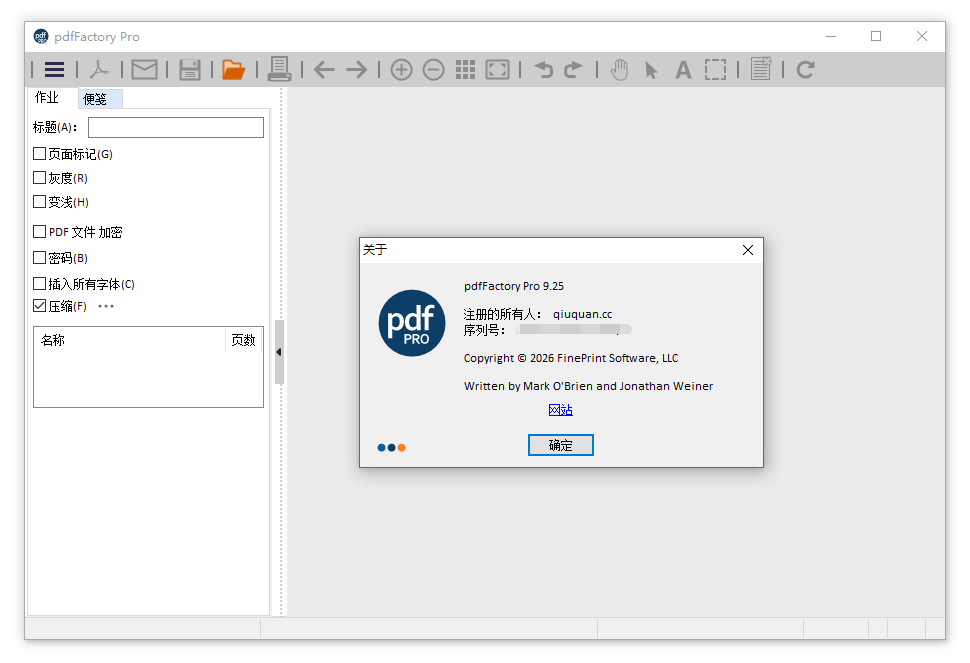
2026.04.05:跟进官方 pdfFactory Pro 9.25 版本。
2026.03.08:跟进官方 pdfFactory Pro 9.24 版本。
2026.02.22:跟进官方 pdfFactory Pro 9.23 版本。
2026.01.10:跟进官方 pdfFactory Pro 9.20 版本。
更新日志:
https://fineprint.com/pdf/release-notes/
功能简介:
1.创建 PDF 和打印到纸上: 仅 pdfFactory 允许不用打印两次而打印到纸上和 PDF 文件中。打印不需要 Acrobat。
2.多个文档整合到一个 PDF 文件中:通过创建一个包含多个内容的单独的 PDF 文件,增加了交换的方便。这个功能是自动的。
3.预览: 允许快速、精确地预览 PDF,包括 400% 缩放,不需要先保存文件也不需要用 Acrobat 打开。
4.内嵌字体:确保文档中使用的原始字体能被正确显示,即使接受者的计算机中没有安装相应的字体。
5.页面插入和删除:允许在 PDF 文件创建前删除不必要的部分。pdffactory pro绿色版这对于从一个长的报告、E-mail 和 web 页创建 PDF 文件有用。
6.通过 E-mail 发送:把 PDF 文件使用默认的 E-mail 客户端发送 。
7.自动保存:自动保存 pdfFactory 打印过的完整内容,所以你可以重新得到以前打印完成得 PDF 文件。
8.动态URL 链接:自定义类型、下划线和颜色的链接,单击你的鼠标来打开网页和 Email 地址。
9.简单的服务器部署:在服务器上做为共享打印机安装,请查看服务器版。
游客下载:
https://pan.quark.cn/s/83229435fc09
https://url84.ctfile.com/d/5279384-160266985-18c233?p=4221
https://pan.xunlei.com/s/VOdbmJn-pttUCfOs5I1CZgZqA1?pwd=rwvh
解压密码:
登录下载:
软件预览:








![【2026-04-19】360安全浏览器 15.2.6615.0 [32位] + 15.3.6615.64 [64位] + 16.0.2636.0 [32位] + 16.1.2636.64 [64位] 正式版|去广告优化版-QiuQuan's Blog](https://www.qiuquan.cc/wp-content/uploads/2024/03/360se-220x150.png)
 DSL 12小时前说:
 sauljl 1天前说:
 lporter639 3天前说:
 夜光闪亮亮 4天前说:
 飘逸 4天前说:
 liayweb 5天前说:


密码
感谢大佬!
非常感谢博主的分享!
密码多少
非常感谢博主的分享
不错
谢谢呀。。
感谢一下。
回复了,怎么密码看不见呢