【2026-01-10】360极速浏览器 11.0.2251.0 + 12.0.1592.0 + 13.5.2044.0 + 22.3.3223.64 + 23.1.1187.64 正式版|优化版

更新流水:

2026.01.10:跟进官方 23.1.1187.64 正式版,Chromium内核132
2026.01.07:跟进官方 23.1.1170.64 正式版,Chromium内核132
2025.12.27:跟进官方 23.1.1153.64 正式版,Chromium内核132
2025.11.26:跟进官方 23.1.1137.64 正式版,Chromium内核132
2025.11.16:跟进官方 23.1.1121.64 正式版,Chromium内核132
2025.11.08:跟进官方 23.1.1110.64 正式版,Chromium内核132
2025.11.05:跟进官方 23.1.1093.64 正式版,Chromium内核132

更新日志(正式版):

修改版特点:

–精简自动更新程序;
–精简英文语言文件;
–精简预置各个插件;
–精简迅雷下载模块;
–精简网址查询模块;
–精简浏览器医生模块(因为有点用,所以将其作为可选项);
–精简内置360安全卫士模块;
–精简win8 metro界面支持模块;
–移除开发者模式警告;
–去除“帮助”菜单下多余菜单项;
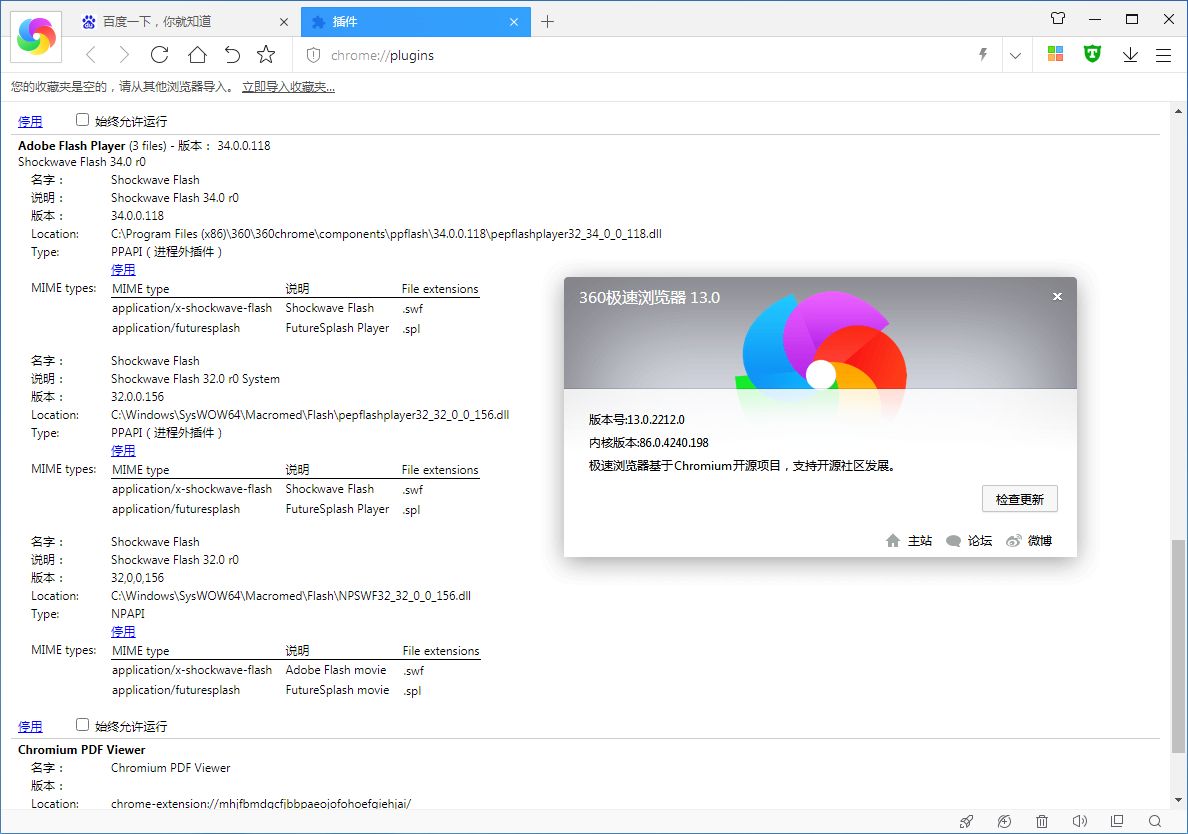
++升级内置Flash插件版本为 34.0.0.155 本博主最新和谐稳定版(因为预置了最新版Flash插件,所以安装包体积比官方版本大)。
++可选安装“广告终结者”过滤插件(博主已将默认规则替换为 EasyList China 规则,该规则由“CJX”大神长期维护,规则更新及时,终结者后台也会自动更新此规则),默认订阅“EasyList China”+“乘风 视频广告过滤规则”+网盘广告过滤规则;
++强制将所有360搜索引擎修改为百度搜索,“包括划词搜索”;
++调整多处细节,优化程序设置项,并更改默认搜索为“百度”;
++默认设置新标签页为12宫格,并去除右上角多余按钮,感谢群成员“低調dě華麗”提供技术支持!
++解决先前版本无法预置皮肤为“极速8”的问题极速9已不需要);
++还原新标签页为九宫格样式;
++默认关闭“硬件加速”,避免观看某些视频出现卡屏现象;
++禁止生成“debug.log”日志文件;
++禁止创建“User Data\safemon”目录;
++加入“迅雷”专用链插件及“支付宝”安全插件;
++卸载过程加入“是否保留浏览器书签和个人配置信息”,以免重要书签被误删;
++程序采用 Inno Setup 打包,支持静默安装,加个参数即可。

常见问题与解决方案:

鉴于某些网友遇到安装后,任务栏图标空白的问题,可以尝试以下解决方案,如果还未解决,可以加群反馈。
1、刷新图标缓存;
2、取消锁定,再重新锁定;
3、右键360极速浏览器快捷方式,选择以兼容模式打开;
4、卸载重新安装,不要选择“固定到任务栏”,安装完毕,手动锁定到任务栏。

软件下载:

https://www.now61.cn/s/XlxOIn
https://drive.uc.cn/s/eda84c9c35544
https://pan.quark.cn/s/8c8248265387
https://www.123pan.com/s/RkeA-uRQnH?pwd=643V
https://pan.baidu.com/s/1iG2C6rhz_-YVk5r-lubsxw?pwd=k9de
https://pan.xunlei.com/s/VOdIpQYXgm6xlAiKUzkULG5NA1?pwd=52m3

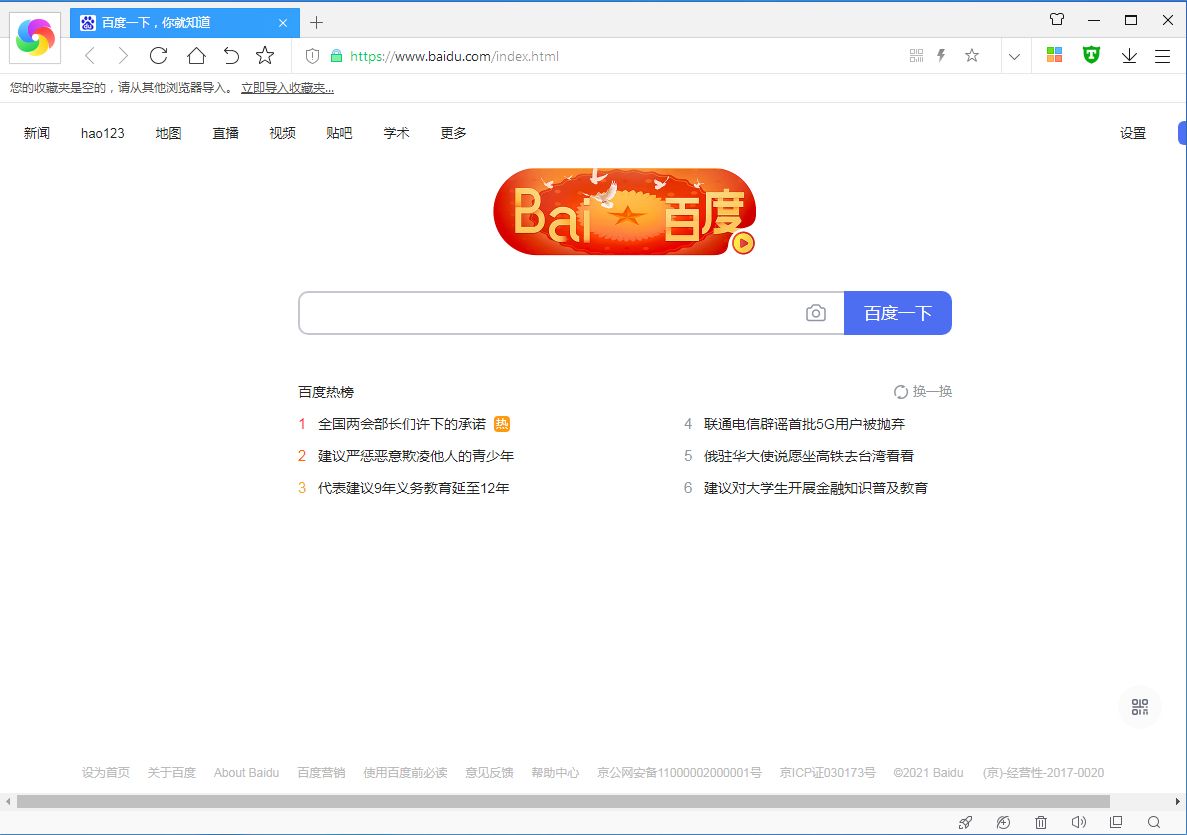
软件截图:


赞(39) 打赏
未经允许不得转载:QiuQuan's Blog » 【2026-01-10】360极速浏览器 11.0.2251.0 + 12.0.1592.0 + 13.5.2044.0 + 22.3.3223.64 + 23.1.1187.64 正式版|优化版

评论 61

  1. #20
    Google Chrome 119.0.6045.9 Google Chrome 119.0.6045.9 Windows 10 x64 Edition Windows 10 x64 Edition

    23.1.1137.64 主页没有导航吗, 9宫格不见了, 你们有吗

    嘎子1个月前 (12-19)回复美国
    • Google Chrome 132.0.0.0 Google Chrome 132.0.0.0 Windows 10 x64 Edition Windows 10 x64 Edition

      如果希望主页为9宫格或者12宫格,可以将主页设置成新标签页,即:chrome://newtab

      QiuQuan管理员1个月前 (12-19)回复中国–广西–柳州–柳北区 联通
  2. #19
    Google Chrome 132.0.0.0 Google Chrome 132.0.0.0 Windows 10 x64 Edition Windows 10 x64 Edition

    QIU大你好,遇到个问题,登录账号 插件就消失了这个有什么方法可以让我自行解决一下吗!谢谢!!!

    小胡蜀黍2个月前 (12-08)回复中国–广东–中山 移动
    • Safari 15.1 Safari 15.1 iPhone iOS 15.2 iPhone iOS 15.2

      首先百度搜索并下载好对应插件,其次登录账号之后,将下载好的插件拖到浏览器窗口进行安装,最后自行配置插件。

      QiuQuan管理员2个月前 (12-08)回复中国–广西–柳州–柳北区 联通
  3. #18
    Google Chrome 132.0.0.0 Google Chrome 132.0.0.0 Windows 10 x64 Edition Windows 10 x64 Edition

    版主,能不能保留浏览器截图功能?因为经常使用,谢谢版主

    95272个月前 (11-29)回复中国–四川–成都 电信
  4. #17
    Google Chrome 122.0.6261.95 Google Chrome 122.0.6261.95 Windows 10 x64 Edition Windows 10 x64 Edition

    22.3.3223.64版本的截图功能点击异常无法使用,这个还会做补充修复吗

    葛二蛋3个月前 (11-18)回复中国–安徽–合肥–蜀山区 电信
    • Google Chrome 132.0.0.0 Google Chrome 132.0.0.0 Windows 10 x64 Edition Windows 10 x64 Edition

      已去掉截图相关模块,无法使用正常。

      QiuQuan管理员3个月前 (11-18)回复中国–广西–柳州–柳北区 联通
  5. #16
    Google Chrome 132.0.0.0 Google Chrome 132.0.0.0 Windows 10 x64 Edition Windows 10 x64 Edition

    论坛版无法设置默认浏览器

    95273个月前 (10-24)回复中国–四川–成都 电信
    • Google Chrome 122.0.6261.95 Google Chrome 122.0.6261.95 Windows 10 x64 Edition Windows 10 x64 Edition

      在64位win10系统测试能正常设置为默认浏览器。

      QiuQuan管理员3个月前 (10-24)回复中国–广西–柳州–柳北区 联通
  6. #15
    Google Chrome 130.0.0.0 Google Chrome 130.0.0.0 Windows 10 x64 Edition Windows 10 x64 Edition

    2025.10.19:跟进官方 23.1.1040.64 论坛版,Chromium内核132
    登录360账号显示请求超时,无法登录

    isc3个月前 (10-23)回复中国–江苏–苏州 电信
    • Google Chrome 122.0.6261.95 Google Chrome 122.0.6261.95 Windows 10 x64 Edition Windows 10 x64 Edition

      测试能正常登录,你检查下网络。

      QiuQuan管理员3个月前 (10-23)回复中国–广西–柳州–柳北区 联通
  7. #14
    Google Chrome 140.0.0.0 Google Chrome 140.0.0.0 Windows 10 x64 Edition Windows 10 x64 Edition

    32位极速 16.0.1020.0 更新

    早凉4个月前 (09-28)回复中国–安徽–合肥 电信
  8. #13
    Google Chrome 122.0.6261.95 Google Chrome 122.0.6261.95 Windows 10 x64 Edition Windows 10 x64 Edition

    用了多年的32位360极速,最近有2个网站不能正常访问了,试了泉总的傲游、夸克和64位极速等多个版本的浏览器,还是360极速最好用,最重要的是能支持企业网银登陆。感觉22.3.1002版是最好用的一版,界面、设置与32位的几乎完全一样,且没有添加AI图片等臃肿无用的功能。

    simon5个月前 (09-14)回复中国–湖北–荆门 电信
  9. #12
    Google Chrome 122.0.6261.95 Google Chrome 122.0.6261.95 Windows 10 x64 Edition Windows 10 x64 Edition

    安装完 插件里面找不到flash 但是文件夹里面有ppflash

    LV2338个月前 (06-13)回复中国–湖南–株洲 电信
    • Google Chrome 122.0.6261.95 Google Chrome 122.0.6261.95 Windows 10 x64 Edition Windows 10 x64 Edition

      自从放弃修改Flash插件之后,所更新的360极速浏览器都未集成Flash插件。

      QiuQuan管理员8个月前 (06-13)回复中国–广西 移动/数据上网公共出口
  10. #11
    Google Chrome 122.0.6261.95 Google Chrome 122.0.6261.95 Windows 10 x64 Edition Windows 10 x64 Edition

    地址栏直接回车搜索是百度搜索,如果是点选选下边的搜索词搜索就是360搜索了

    1728132339个月前 (04-28)回复中国–山东–威海–乳山市 联通
    • Google Chrome 122.0.6261.95 Google Chrome 122.0.6261.95 Windows 10 x64 Edition Windows 10 x64 Edition

      是的,那是浏览器强推的360搜索。

      QiuQuan管理员9个月前 (04-28)回复中国–广西 移动/数据上网公共出口
      • Google Chrome 122.0.6261.95 Google Chrome 122.0.6261.95 Windows 10 x64 Edition Windows 10 x64 Edition

        360越来越不要脸了,不如以前纯净了

        1728132339个月前 (04-28)回复中国–山东–威海–乳山市 联通
        • Google Chrome 122.0.6261.95 Google Chrome 122.0.6261.95 Windows 10 x64 Edition Windows 10 x64 Edition

          官方也意识到很少会有人主动去使用360搜索,所以只能强推了。

          QiuQuan管理员9个月前 (04-28)回复中国–广西 移动/数据上网公共出口

觉得文章有用就打赏一下文章作者

非常感谢你的打赏,我们将继续提供更多优质内容,让我们一起创建更加美好的网络世界!

支付宝扫一扫

微信扫一扫

登录

找回密码

注册